
Skip to content
PLATESOFTWARE

Print it right the first time

Road plates, show plates and signs in one desktop application. The rules are applied as you type and the checks run before the print button opens — so a mistake costs you a moment, not a blank.

  • From £79 a year
  • Rule updates included
  • Windows desktop
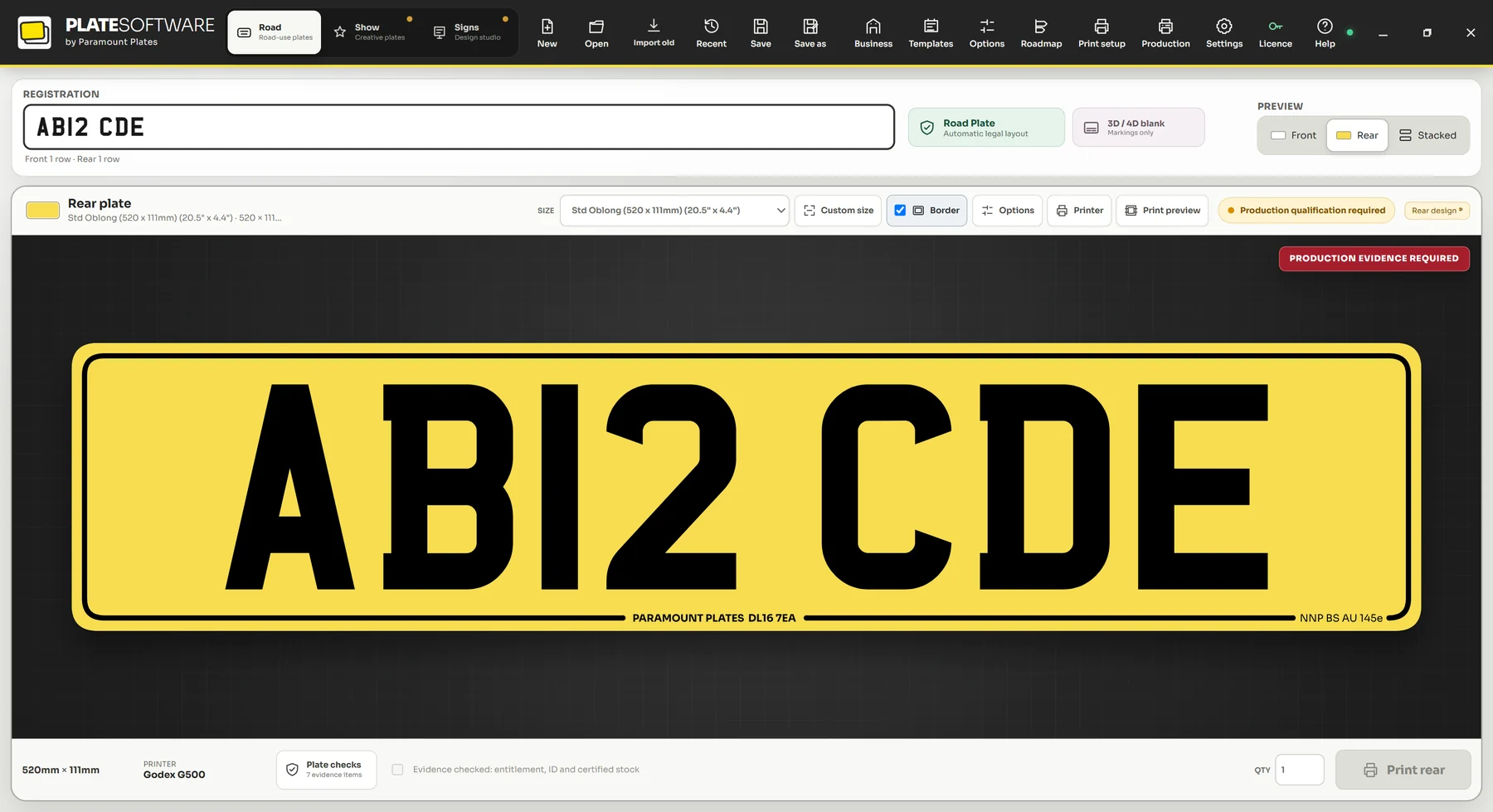
The Plate Software road plate designer showing a standard oblong yellow rear plate reading AB12 CDE, with the supplier marking along the bottom edge and a banner reading Production evidence required.

01Three workspaces

Everything a plate business prints, in one application

Core covers road-use plate production. Essential adds the show plate and sign workspaces on top, sharing the same design engine, the same printer profiles and the same calibration.

Core and Essential

The plate you make fifty times a day

Type the registration, pick the size, print. Spacing, character rules and your supplier markings are applied for you, and the checks run before the print button will open.

  • Oblong, shortened, square, motorcycle, import, trailer and oversized sizes
  • Hex and lipped shaped plates with the border set correctly
  • Front, rear, or a matched pair printed as one job
  • Checks that block the print button when something is wrong
Full feature breakdown
The road plate designer with a standard oblong yellow rear plate reading AB12 CDE, the supplier marking along the bottom edge, and a banner reading Production evidence required.
The road workspace

02Printing and calibration

Design tools are easy to demo. Printing is the hard part.

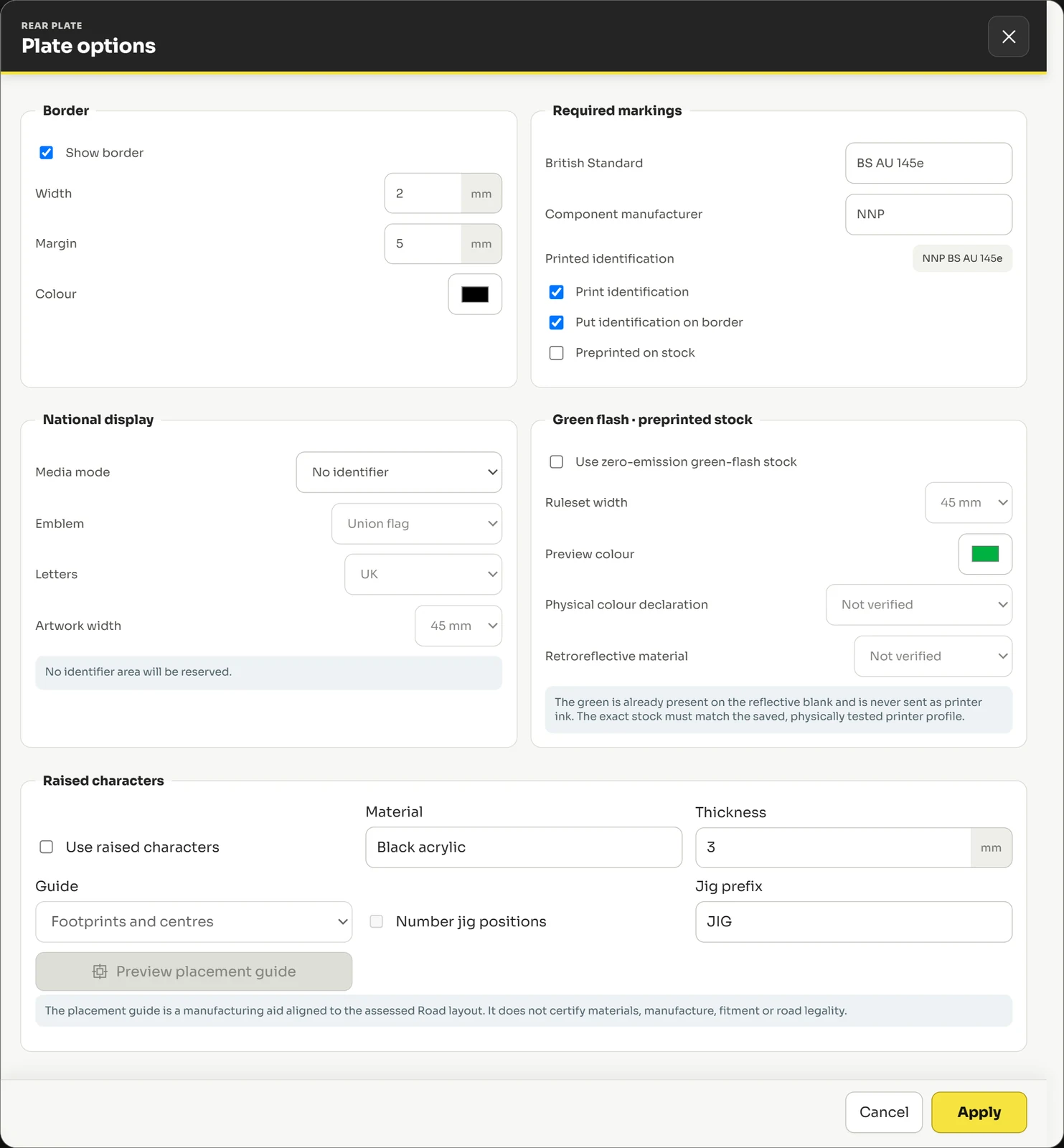
Every value that affects the finished plate is exposed and measured in millimetres — border width and margin, required markings, identifier artwork, raised-character jigs — rather than buried in a driver dialog.

The plate options dialog: border width and margin in millimetres, required markings including the British Standard reference and component manufacturer, national identifier settings, green flash options, and raised character material and jig settings.
Plate options · every value in millimetres, nothing guessed

Printers and profiles

Find the printers already on the machine, then keep a saved profile for each one so the setup you got right stays right.

  • Windows printer discovery
  • A saved profile per printer and media
  • Separate front and rear printer assignment
  • Dual-printer pair mode

Calibration that holds

Printers drift and blanks vary between batches. Get it right once per profile and it stays where you put it.

  • X and Y offset calibration
  • Scale calibration
  • Rotation and mirror controls
  • Test print and calibration wizard

Getting work out

Queue it, print it, and print it again next week without rebuilding anything.

  • Print preview before you commit a blank
  • Front and rear as one paired job
  • Copy quantity and batch output
  • Production queue

Your files, your machine

Designs, templates and printer profiles are stored locally. A normal internet outage does not stop you working.

  • Local project saving and reopening
  • Local template library
  • Local backup and restore
  • Keeps working during a temporary outage
Every printing and production capability
  • Windows printer discovery
  • A saved profile per printer and media
  • Separate front and rear printer assignment
  • Dual-printer pair mode
  • Thermal, laser and LED workflows
  • Custom paper and media sizes
  • Mirror output for laser film
  • X and Y offset calibration
  • Scale calibration
  • Rotation and mirror controls
  • Test print and calibration wizard
  • Calibration saved per profile
  • Repeatable output across a run
  • Print preview before you commit a blank
  • Front and rear as one paired job
  • Copy quantity and batch output
  • Production queue
  • Local print history
  • One-click reprint from history
  • Local project saving and reopening
  • Local template library
  • Local backup and restore
  • Keeps working during a temporary outage
  • No customer or identity documents collected
  • Diagnostics never include your artwork unless you attach it

03Getting started

Producing by the end of the afternoon

No onboarding call, no implementation project, no consultant. Install it, calibrate it against your own printer, and get on with the day.

  1. Install and activate

    Run the installer on the computer you print from and enter your licence key. No browser, no runtime, no local server.

  2. Set up and calibrate

    Pick your printer, save a profile for it, and run the calibration wizard against your own media before you commit a blank.

  3. Design and print

    Type the registration, pick the size, and print. The checks run before the print button opens.

04Pricing

Two tiers. Three ways to pay.

Choose the tier by what you produce, not by how many computers you own. Add Production Licences separately whenever you need another machine.

Every subscription includes one Production Licence.

Core

Save 45%

Road-use plate creation and printing

£79/year

Billed once for twelve months.

£64.88 a year less than Monthly Flex.

Billed once for twelve months. Renews annually at the price notified to you at least 30 days beforehand.

What you get

  • Complete road-use plate designer
  • Full plate format library — oblong, shortened, square, motorcycle, import, trailer
  • Road-use character and layout rules enforced before print
  • Supplier and British Standard footer markings
  • Printer profiles, X/Y and scale calibration, test print wizard
See everything included
Most complete

Essential

Save 38%

Core plus show plates and signs

£149/year

Billed once for twelve months.

£90.88 a year less than Monthly Flex.

Billed once for twelve months. Renews annually at the price notified to you at least 30 days beforehand.

Everything in Core, plus

  • Everything in Core
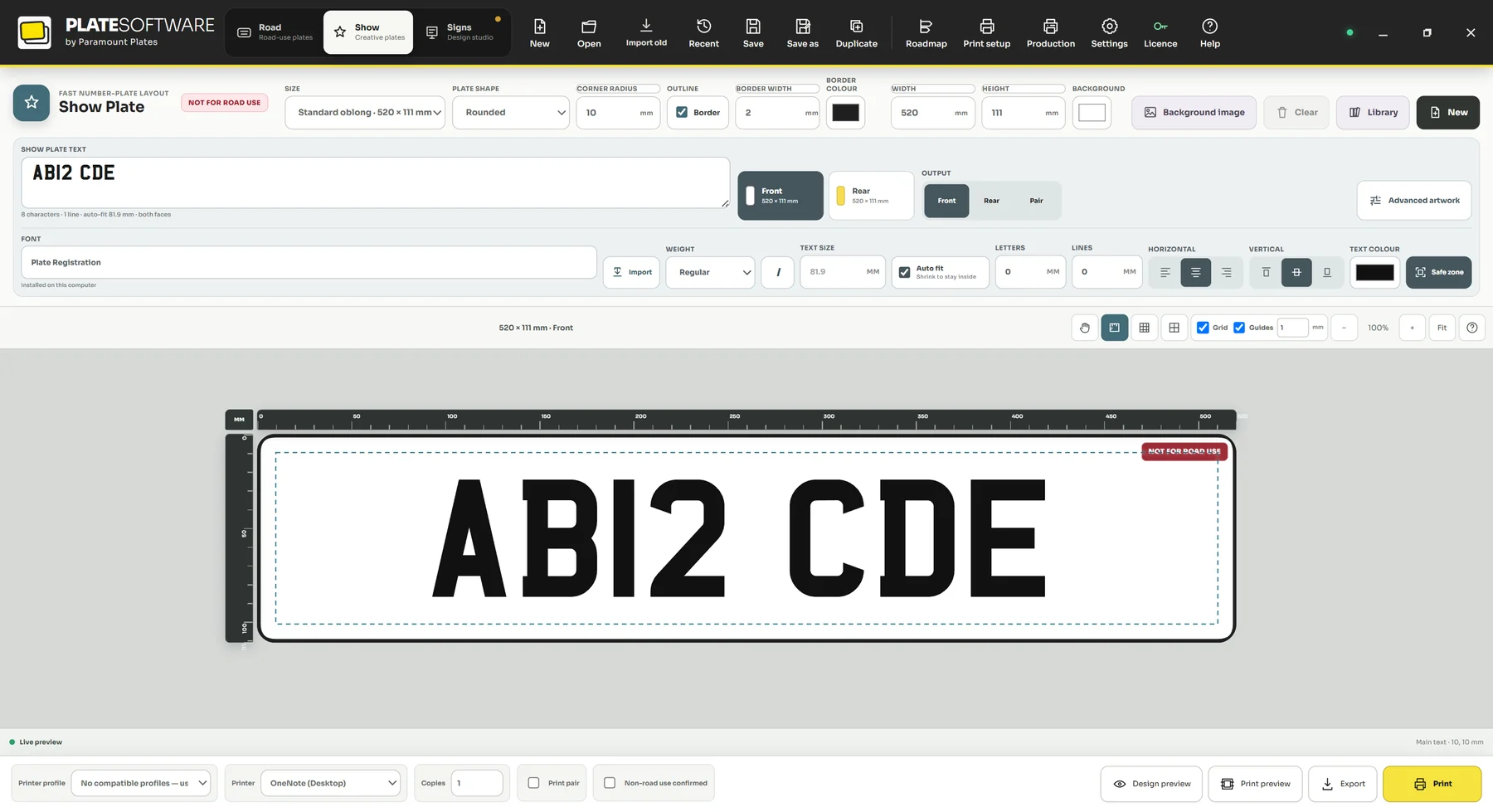
  • Dedicated Show Plate workspace — custom spacing, fonts, colours and effects
  • Backgrounds, logos, graphics, decorative borders and layer control
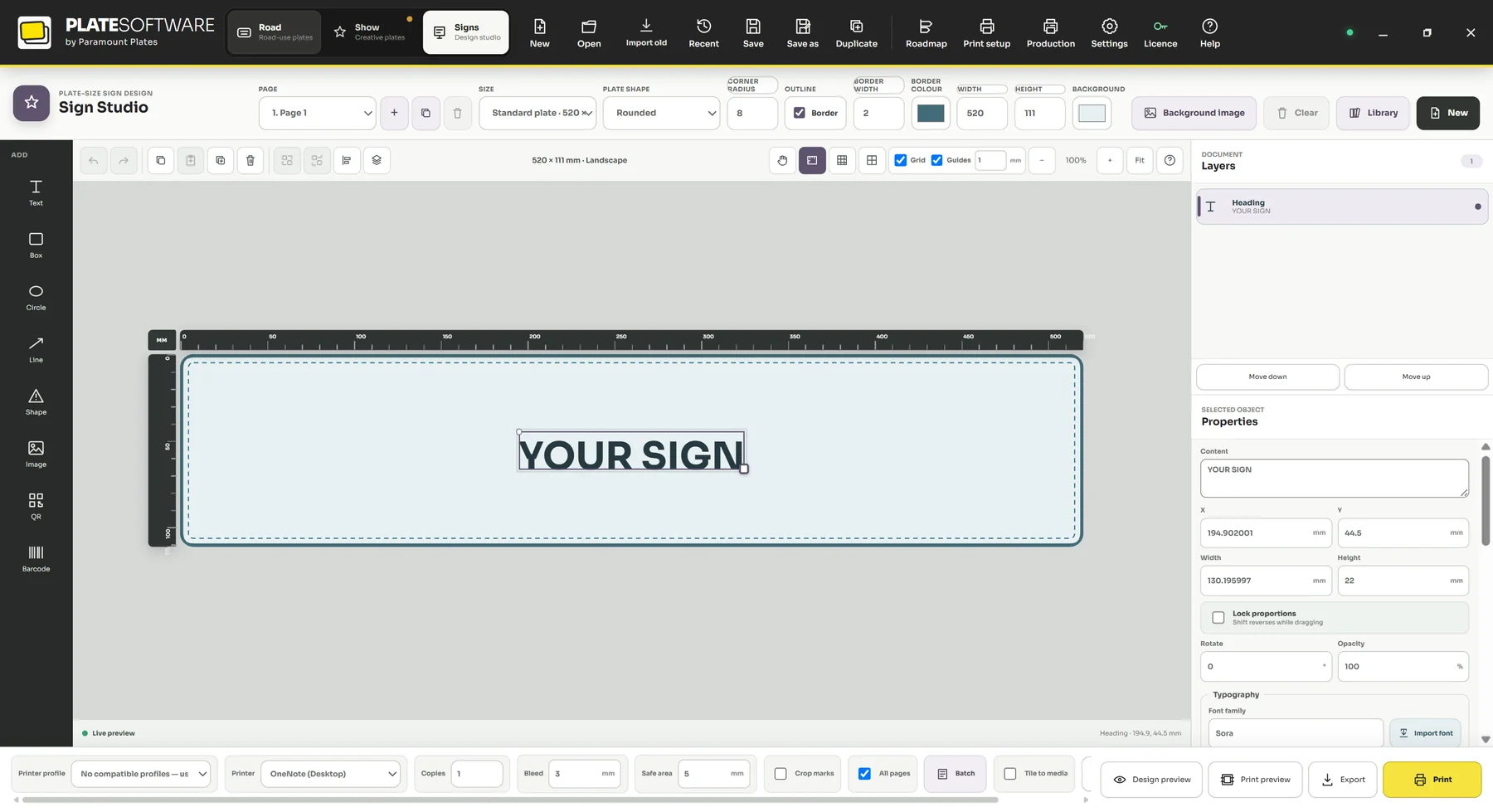
  • Dedicated Sign workspace with a free canvas
  • Text, shapes, images, SVG import, QR codes and barcodes
See everything included

05Why this, not that

Why plate businesses pick it

Six things that matter on a busy day, when you have a customer waiting and a blank in the printer.

One licence covers everything you print

Road plates, show plates and signs share a single design engine, the same printer profiles and the same calibration. No second application to learn, no second subscription to justify.

It stops you before the printer does

Road-use checks run while you type and hold the print button closed when something is wrong. A mistake costs you a moment instead of a blank.

Millimetres, not guesswork

Border width, margin, character height, marking placement, jig positions — every value that reaches the plate is set in millimetres and previewed at size before you commit stock.

The rules move. You do not pay again.

Rule and template updates are included on both tiers for as long as you subscribe, so keeping current is part of what you already bought.

Set your markings once

Your outlet name, postcode and British Standard marking are saved once and applied to every road plate, with the typeface, placement and border opening exactly how you want them.

Priced by what you produce

The tier decides what the software can do. Production Licences decide how many computers can print. You never buy features you do not need in order to get a second machine.

06Questions

Before you buy

The things people actually ask, answered without marketing language.

What is a Production Licence?

Permission for one Windows computer to create final printable output. It belongs to your business rather than a named employee, so any of your staff can use that computer. Every subscription includes one, and you can add more at any time.

Can I cancel the 12-month plan paid monthly?

No. That option is a twelve-month agreement whose payments are collected monthly, and the full term is payable. If you want the freedom to stop at any point, choose Monthly Flex instead, which is a rolling monthly subscription with no minimum term.

Can the price change while I am subscribed?

Not during a term you have already paid for. At renewal you renew at the price published at that time, and we will tell you at least 30 days before any change applies.

Can I upgrade from Core to Essential later?

Yes. Checkout calculates the pro-rata difference, your entitlement refreshes, and the Show Plate and Sign workspaces appear. There is no reinstall and no printer setup to repeat.

What happens if I stop subscribing?

Your local files stay on your machine and remain openable and editable. What stops is new production output. Nothing you have made is taken away or held hostage.

Does the software need to be online?

No. Plate Software works entirely offline — there is no activation server and no periodic check, so an internet outage never stops you working. You only need a connection to receive your key by email and to download the application.

Is macOS supported?

Not yet. Plate Software is a Windows application, and there is no macOS build. If you work on a Mac, do not buy it expecting to run it — that is the one incompatibility we cannot solve for you.

Still not sure it fits your setup?

Ask us about your printer

Set it up once, then get on with printing

Install it, point it at your printer, run the calibration wizard once against your own blanks. After that the rules, the spacing and the markings are the software’s problem rather than yours.

Windows desktop. macOS where the printer and driver combination is supported.