
Turning it on
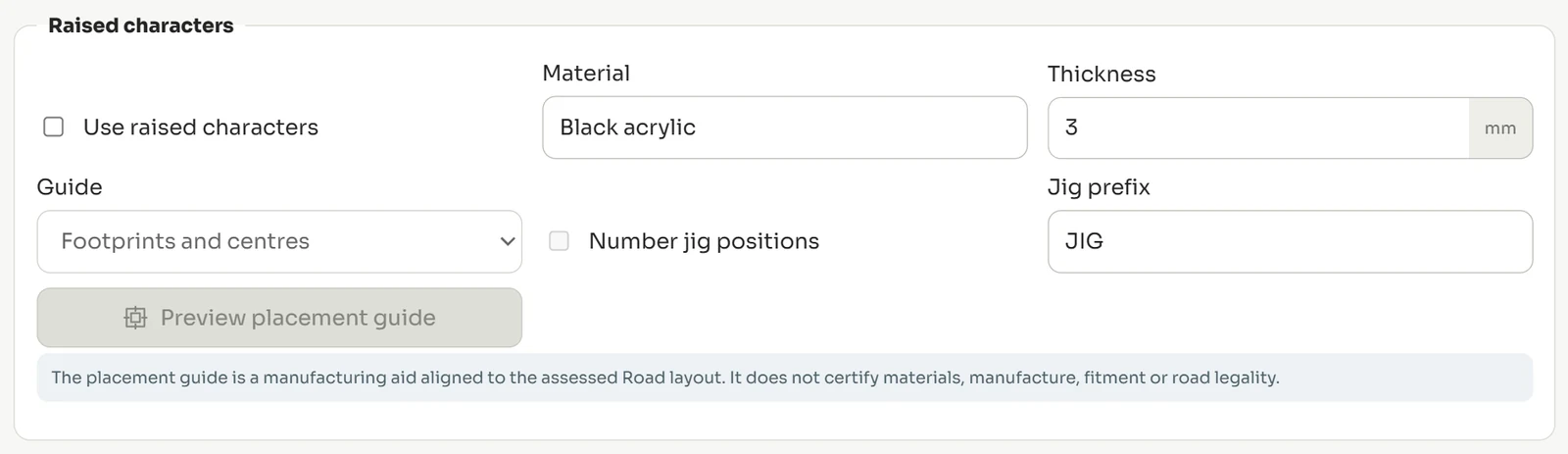
- Open Options and find Raised characters.
- Tick Use raised characters.
- Set the Material and Thickness in millimetres.
- Choose a Guide — footprints, centres, or both.
- Tick Number jig positions and set a Jig prefix if your process uses numbered jigs.
- Use Preview placement guide to check the layout before producing anything.
What the guide is and is not
The placement guide is a manufacturing aid aligned to the assessed road layout. It positions characters consistently across a run.
It does not certify materials, manufacture, fitment or road legality — those remain matters for your process and your judgement.
Did this not answer your question? Email support@platesoftware.co.uk and tell us what you were trying to do.